Personal project, macOS app · 2026
CoreTend
A free, open-source native macOS app: understand what uses disk space and review each action before running it. I led the product, made the final decisions and validated delivery, with Claude as a development assistant under my supervision through release.
- Role
- Product direction, development supervision, testing and distribution
- Public version
- 2.3.0 · stable
- System
- macOS 14.0+ · universal
See before acting
Cleanup utilities often reduce a decision to a large total and one button. CoreTend shows every item with its size, reason and risk; ordinary cleanup goes through the Trash after review. A separate system action can also permanently delete a Time Machine snapshot after its own confirmation.
What is actually shipped
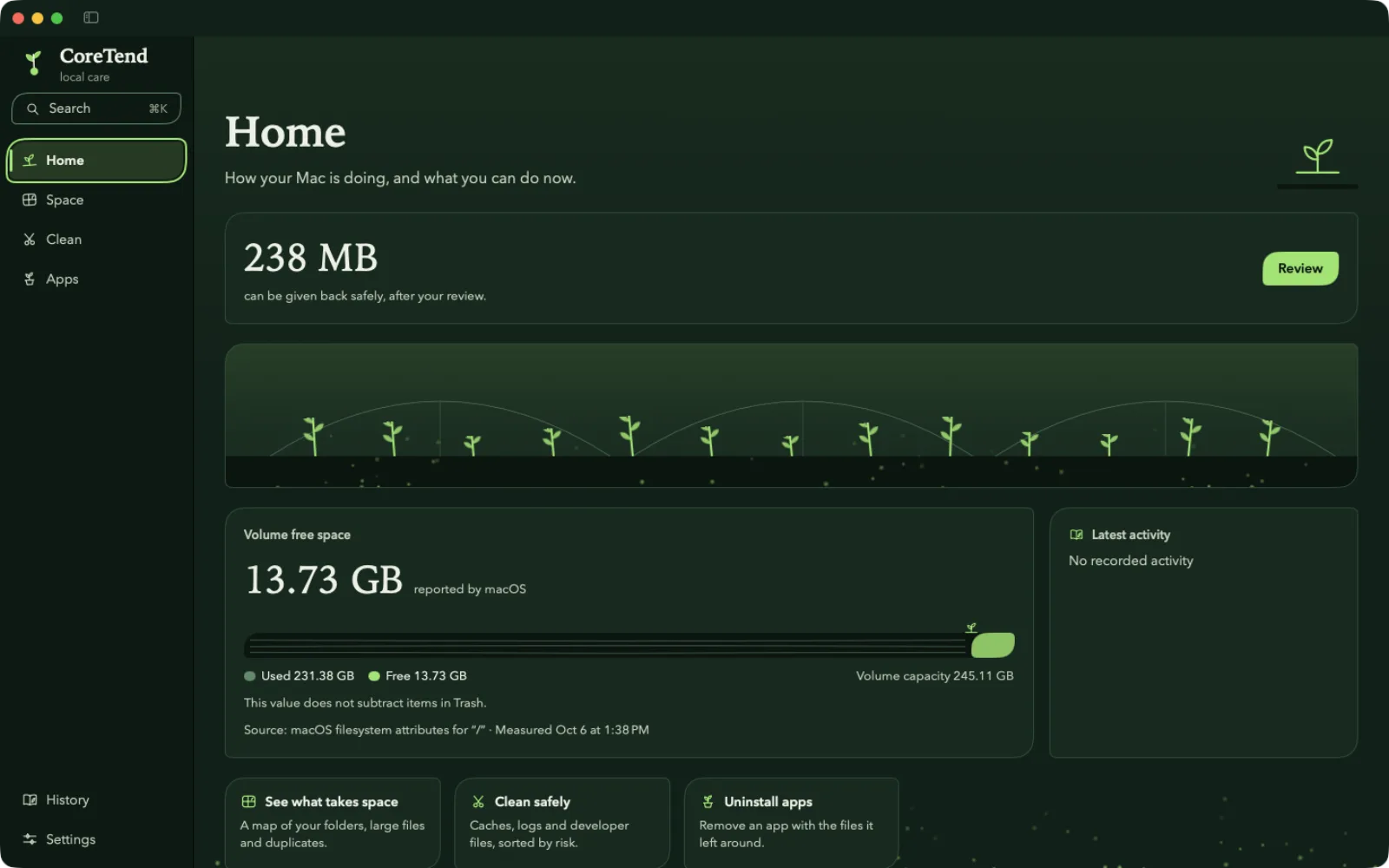
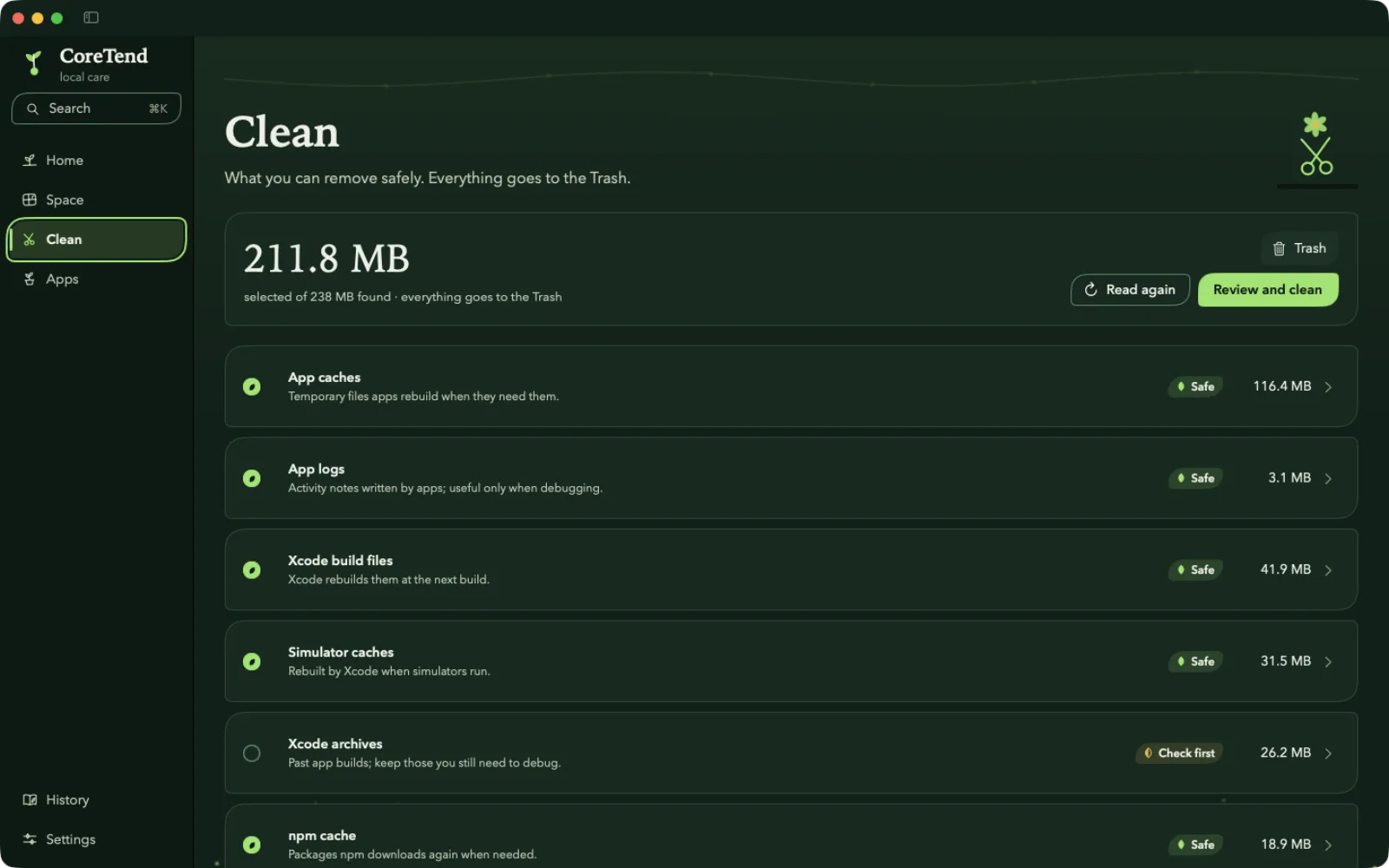
Four spaces. Home: the space that can be given back and the state of the disk. Space: a map of the home folder and exact duplicates. Clean: 30 rules read in one pass, from caches and logs to developer tools, local AI models and disk images, grouped by risk. Apps: complete uninstall, with the files the app left behind. Plus a command line and a read-only MCP server for AI assistants.
Product and engineering decisions
- 01
Reversible actions by default
Ordinary cleanup moves items to the Trash after revalidation just before the action. Undo restores them from the Trash to a free location. Permanently deleting a Time Machine snapshot is a separate, optional system action with its own confirmation.
- 02
One read to clean everything
The 30 rules are read in one pass and grouped by item: a cache folder goes whole, so it comes back whole. Safe items are ticked; "check first" items stay the person's choice.
- 03
Uninstall without guessing
An app's leftovers are looked for only at the places macOS gives that app, by an exact match of its identifier. Apple's own apps are never offered.
- 04
Leaving the App Store
The sandbox meant choosing every folder at every launch and ruled out complete uninstall. CoreTend left the App Store: one edition, Developer ID signed and notarized, that asks once for Full Disk Access and says plainly what it cannot see without it.
- 05
A network limited to updates
No telemetry or account. CoreTend can check its update feed (which can be disabled) and, only on request in Apps, check installed apps’ own update feeds. Installation still requires the person’s approval.
Network boundary: https://coretend.ahmetbsbnr.com/appcast.xml
disableable Sparkle feed · app feeds checked on request in Apps · installed only when you accept.
The real app
These captures come from the app, on a demonstration folder, with no personal data.
Real captures from the app · Example data, no personal data
Separate to test
The Swift package separates the app and the command line from their modules: read-only scanning, safety (the only code that moves files), domain, SQLite persistence, navigation and the design system. Scanning cannot depend on code that changes files, and the build checks it.
- Swift 6
- SwiftUI
- AppKit
- SQLite
- XCTest
- Sparkle
- MCP
- GitHub Actions
Released and verified
- 207
- automated tests, all passing
- 12
- Swift products in Package.swift
- 30
- cleanup rules, each with its risk
- 14.0
- minimum macOS version
Install today
CoreTend 2.3.0 is ready for Apple Silicon and Intel Macs running macOS 14.0 or later. Download the DMG, open it, then launch CoreTend. Developer ID signing and Apple notarization are already built in.
Download 2.3.0Direct installation
- 01Download the official DMG.
- 02Open the DMG and launch CoreTend.
Also on Homebrew: brew install --cask ahmetbsbnr/coretend/coretend, and on npm for the command line and MCP server: npx coretend. Later versions arrive on their own if you allow it.